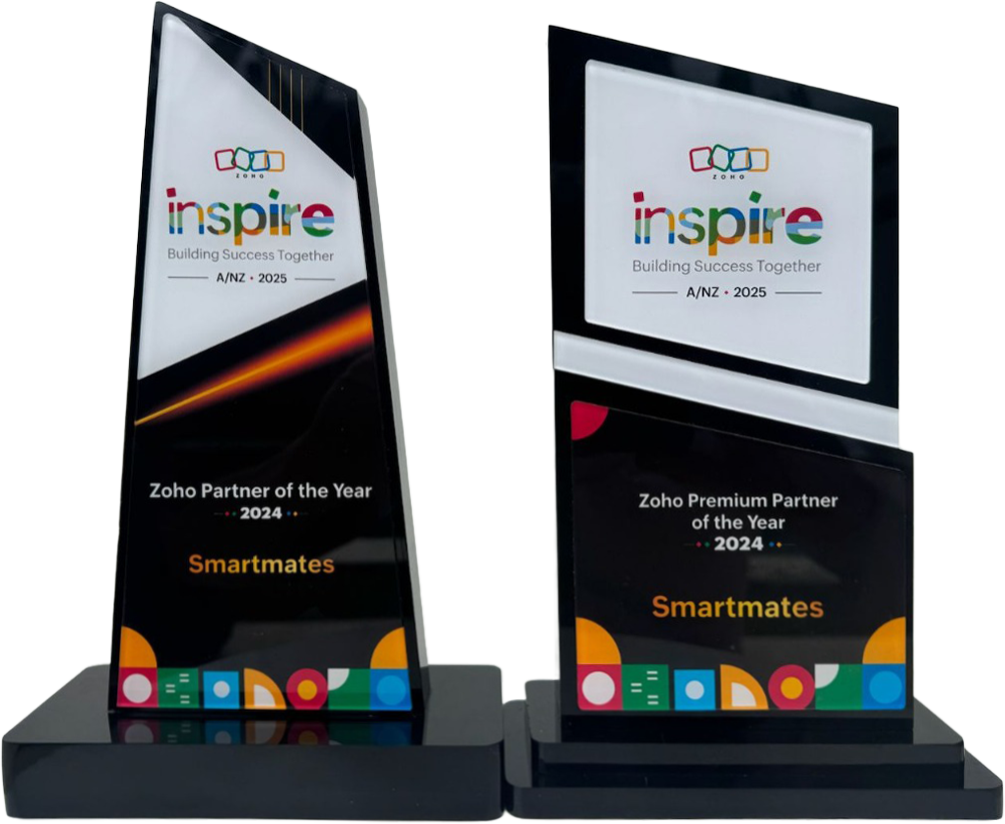
4 Years in a Row
Officially awarded Zoho Partner of the Year in Australia for 2022, 2023, 2024 and 2025. Chosen from 60+ Australian Zoho Partners by Zoho themselves.
- First Top-Up Special $129 $99/hr + GST*
Book your free video conference with our Zoho Consultants
Get your free comprehensive Zoho rollout quotation
Recognised as Australia’s #1 Zoho Partner, 4 years running

Picking Document Management Software Your Staff Will Search


The right document management software is the one your staff can search and trust on a busy Tuesday, not the one with the longest feature list. Smartmates helps Australian businesses judge options on four things that decide adoption: search, permissions, version control and retention, because a new system that nobody can find anything in simply becomes a second messy shared drive.
Why the shared drive stopped working, and why a new tool might not fix it
You probably know the symptoms already. The quote your team sent last month lives in three folders under three names, and nobody is sure which one the client signed. A new starter asks where the induction forms are and gets four different answers. Someone saves “Final v2 USE THIS” to their desktop, then leaves the business, and the file goes with them. Maybe you have even been through this once before: a previous partner or a well-meaning staff member set up a new system, moved everything across in a weekend, and six months later half the team is back to emailing attachments because searching the new place takes longer than asking a colleague. That is a selection failure: the tool was chosen on a demo, not on whether your people could find a file in it under pressure.
Read more: When an Australian business should move from shared drives to Zoho WorkDrive
Five checks for document management software before you commit
Run these with your own files and your own staff, not with sample data, because the gaps only show up with real names, real folders and real habits.
- Search with the words your staff actually use. Ask three people to find a real contract, a real invoice and a real policy using whatever they would naturally type. If they reach for the folder tree instead of the search box, search is not doing its job.
- Map permissions to roles before you map folders. Write down who should see payroll, client files, board papers and supplier pricing. If the only way to protect a file is to hide it in an obscure folder, your permissions design is carrying risk.
- Check what happens when two people edit the same file. Ask how you see the previous version, who changed it and when, and how you roll back. If the answer involves renaming files by hand, you still have the “Final v2” problem.
- Decide your retention rules up front. Agree how long each record type should be kept, who can delete it and what happens to a departing staff member’s files. Confirm these with your accountant or adviser, then check the system can hold them without someone remembering to do it.
- Plan the move, not just the destination. Decide what gets cleaned, archived or left behind before migration. Moving a messy drive into a new system only gives you a messy drive with a new logo.
Feature-list buying compared with adoption-first buying
It is easy to buy on the first column and then live with the second.
| Question | Buying on the feature list | Buying on how staff will use it |
|---|---|---|
| How is the trial run? | Vendor demo with tidy sample files | Your staff, your files, your search terms |
| Who designs access? | Whoever sets up the folders first | Roles agreed with managers before setup |
| How are versions handled? | Assumed to work because it is listed | Tested with two people editing one file |
| When is retention decided? | After something is deleted by mistake | Before migration, with your adviser |
| What moves across? | Everything, as it is | Cleaned, archived or retired on purpose |
| How do you know it worked? | The licences are paid for | Staff stop asking where files are |
A business with a handful of staff and simple files can often run these tests on its own. Once you have several teams, sensitive records, a CRM or accounts package to connect, or a failed rollout to recover from, an outside view usually saves rework.
How Smartmates helps you choose and set it up properly
Smartmates is a Zoho Premium Partner and has been named Zoho Partner of the Year in Australia and New Zealand for 2022, 2023, 2024 and 2025, with 60+ Zoho certifications across the team. We start with a free Planning Session, a video call with a Project Manager and a senior Zoho engineer, where we look at how your team stores and finds files today, what has gone wrong before and which documents need tighter control. You then receive a written Project Plan Estimate covering the recommended scope, phased steps with indicative hours, an honest hourly cost estimate and the implementation approach, including the clean-up and permissions design that most rushed rollouts skip. Work begins only after you agree to the written scope, and nothing is billed until then. Your First Top Up is $99/hr + GST, then $129/hr + GST, with a minimum of 10 consulting hours, itemised weekly statements and no lock-in. If you want to read the vendor’s own description before the call, here is Zoho’s WorkDrive product page.
See also: Book a free Zoho consultation and Planning Session
Questions about choosing document management software
How do we know if our team will actually use new document management software?
Run the trial with your own staff and your own files. Ask people to find real documents using the words they normally type, and watch whether they use search or fall back on folders. If finding a file is slower than asking a colleague, adoption will slip back to email attachments.
Should we clean up our shared drive before moving to a new system?
Yes. Decide what gets kept, archived or retired before migration, and agree folder names and access rules first. Moving everything as it is simply recreates the old mess in a new place, and staff lose trust in the new system within weeks.
What should we ask a Zoho consultant before a document management project starts?
Ask how they will design permissions around your roles, how versions and retention will be handled, what will be cleaned before migration, how files will connect to your CRM and accounts, and what training staff will get. Ask for the scope and hours in writing before anything is billed.
Start with how your team finds files today
If your shared drive has grown past the point where anyone trusts it, or a previous rollout never stuck, book a free Planning Session with Smartmates. We will look at how your team searches, shares and keeps documents now, and give you a written plan showing the scope, steps and cost before you spend anything.
Request a Callback from Smartmates

Zoe
I’ll listen to your Zoho needs to understand your business challenges and goals, ensuring a tailored approach.
I’ll bring a certified Zoho engineer to our first consultation to explore solutions and clarify your requirements.
We’ll deliver your free project plan quotation, detailing the steps, timeline, and costs—up to this point, it’s completely free!
“My mission is to solve your key problems, build your trust in our capabilities and deliver exceptional value for money.”