
4 Years in a Row
Officially awarded Zoho Partner of the Year in Australia for 2022, 2023, 2024 and 2025. Chosen from 60+ Australian Zoho Partners by Zoho themselves.
- First Top-Up Special $129 $99/hr + GST*
Book your free video conference with our Zoho Consultants
Get your free comprehensive Zoho rollout quotation
Recognised as Australia’s #1 Zoho Partner, 4 years running

Timesheet Software for Teams That Bill Clients by the Hour

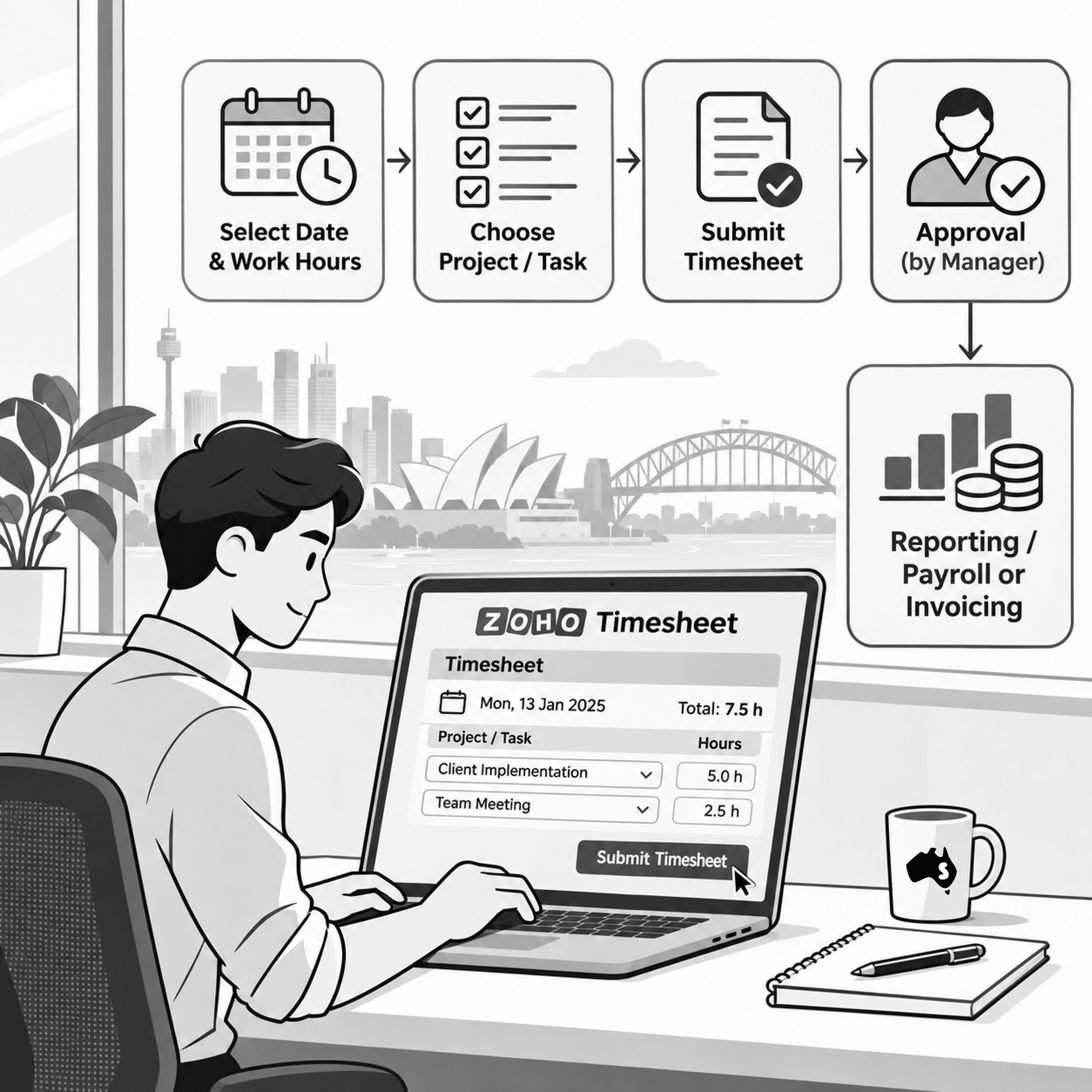
Timesheet software for a team that bills by the hour has one job: get every billable minute against the right client and project before an invoice is raised. Smartmates sets this up inside Zoho for Australian service firms whose hours leak between the timesheet, the project and the invoice, and whose clients have started questioning the bill.
Where Billable Hours Quietly Go Missing
If you bill clients by the hour, you probably already know the feeling at month end: someone is chasing staff for timesheets, half the entries say “admin” or “client work”, a consultant logged three hours to the wrong client, and the person preparing invoices is rebuilding the month from calendars, emails and memory. Maybe a previous partner set up Zoho for you and time tracking was bolted on as an afterthought, so your team still keeps their real hours in a spreadsheet and copies them across on Friday afternoon. The cost is not only the hours that never get billed. It is the awkward call when a client asks what a line item was for and nobody can say, and the slow loss of trust in your own numbers until every invoice gets checked by hand before it goes out.
Read more: Zoho Projects vs Monday.com for Australian Service Teams
Questions to Settle Before You Choose Timesheet Software
The right timesheet software is the one your team will actually fill in, against a structure your billing already trusts. Settle these points before you compare any products:
- What is a billable unit in your business? Decide whether time is billed against a client, a project, a task or a stage, because the timesheet has to mirror whatever appears on your invoice.
- Who approves time, and when? Name the person who signs off each week. Hours that nobody reviews until invoicing day are the hours that end up disputed.
- How do you separate billable from non-billable work? Internal meetings, rework and quoting time all matter for profitability, but they must never land on a client’s bill by accident.
- Where do rates live? If different staff, clients or work types carry different rates, agree on a single place those rates are kept so nobody types them into an invoice by hand.
- What happens to time logged against a closed or wrong project? Decide in advance how corrections are made and who can make them, so the audit trail stays clean.
- Which systems need the hours next? Map the path from timesheet to project budget to invoice to your accounts, and ask your consultant who owns each handover.
- Will your team log time in the moment? If entering time is slow on a phone or between meetings, people will batch it on Friday, and Friday memory is where billable hours disappear.
Doing It Yourself vs Using a Zoho Consultant
A simple team can often set up time capture on its own; the case for help grows with every client rate, approval step and system the hours have to reach.
| Situation | Doing it yourself | Using a Zoho consultant |
|---|---|---|
| A few staff, one rate, one client list | Usually fine if someone owns it and reviews time weekly | Often more help than you need |
| Several rates by staff, client or work type | Rates drift into spreadsheets and manual invoice edits | Rates are mapped once and agreed in writing before the build |
| Hours need to reach projects, invoices and accounts | Handovers get patched with exports and copy and paste | Each handover is set out in a written scope before the build |
| Inherited Zoho setup nobody trusts | Hard to tell what to keep and what to rebuild | The written scope sets out what is kept and what is rebuilt |
| Staff who avoid logging time | Reminders and chasing every week | Training for your team on the setup you actually use |
How Smartmates Builds Timesheets That Survive a Client Query
We start with your invoice and work backwards, so the timesheet ends up shaped like the bill your clients receive. In a free Planning Session, a Project Manager and a senior Zoho engineer go through how you bill today, where hours get lost, and how the Zoho apps you already hold should fit around that. You then receive a written Project Plan Estimate with the recommended scope, phased steps, indicative hours and an honest cost estimate, and if you want to check the Zoho Projects claims below first, Zoho’s Projects timesheet page is the source. Work begins only after you agree to that written scope, and our own time is billed hourly from pre-purchased top-ups with itemised weekly statements, the same discipline we help you build.
See also: Zoho implementation and new setups
Timesheet Software FAQs
Should billable time sit in Zoho Projects or Zoho People?
Both can hold it, so decide by what the hours are for. Zoho’s Projects timesheet page says time logged against tasks can be marked billable or non-billable, sent through an approval process and loaded into Zoho Invoice or Zoho Books to create invoices. Zoho’s People timesheet page says People classifies jobs as billable or non-billable across clients and projects, routes timesheets to managers for approval and connects to Zoho Books for invoicing. If you hold both apps, choose one home for billable time so no hour is logged twice.
How do we get staff to log time against the right client?
Make the right choice the easy one. Keep the list of clients and projects short and current, close finished projects so they cannot be selected, and review time weekly rather than at month end. Short, practical training on your own setup helps more than reminders do.
Can we fix our current timesheets without starting again?
Often, yes. The first step is a review of what already exists: how clients, projects and rates are structured, and where hours leave the system. Some parts can be kept and cleaned up; others are faster to rebuild. A written scope sets out which is which before any work is billed.
Bring Your Last Invoice to a Planning Session
If your hours are slipping between the timesheet and the invoice, book a free Planning Session with Smartmates. Bring a recent invoice and a sense of how your team logs time today, and we will show you where the gaps are and what it would take to close them, in writing, before anything is billed. The First Top-Up Special is $99/hr + GST, then $129/hr + GST, with a minimum of 10 consulting hours.
Request a Callback from Smartmates

Zoe
I’ll listen to your Zoho needs to understand your business challenges and goals, ensuring a tailored approach.
I’ll bring a certified Zoho engineer to our first consultation to explore solutions and clarify your requirements.
We’ll deliver your free project plan quotation, detailing the steps, timeline, and costs—up to this point, it’s completely free!
“My mission is to solve your key problems, build your trust in our capabilities and deliver exceptional value for money.”