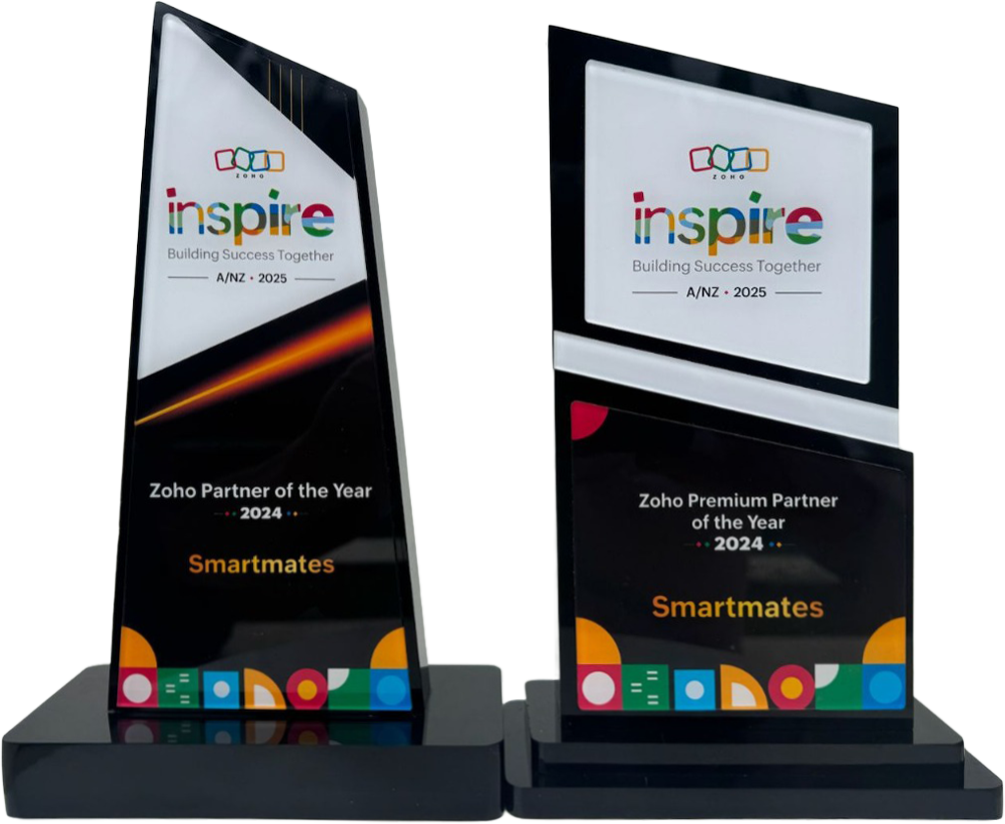
4 Years in a Row
Officially awarded Zoho Partner of the Year in Australia for 2022, 2023, 2024 and 2025. Chosen from 60+ Australian Zoho Partners by Zoho themselves.
- First Top-Up Special $129 $99/hr + GST*
Book your free video conference with our Zoho Consultants
Get your free comprehensive Zoho rollout quotation
Recognised as Australia’s #1 Zoho Partner, 4 years running

Outgrowing the Shared Inbox: Picking a Ticketing System

Picking a ticketing system comes down to three decisions: what it must do for your support team, how it connects to the systems you already run, and who keeps it working after launch. At Smartmates we help Australian businesses make those decisions before comparing help desk software, so the choice holds up against real customer requests.
Why Teams Choose the Wrong Tool the First Time
Most teams start looking for a ticketing system after a bad week in the shared inbox, and that urgency is exactly when the choice goes wrong. You watch a polished demo, skim a list of the top ten tools, pick the one with the longest feature list, and sign up before anyone who actually answers customers has tried it. Three months later the rules match how the vendor imagined support works, not how your team does it, customer details still get retyped from the CRM, and half the team has quietly gone back to email. If you have been here before, perhaps with a Zoho setup a previous partner built and left, you know the second attempt costs more than the first, because now you are undoing decisions as well as making them.
Read more: Zoho Desk setup in Australia compared with shared inbox support
How to Choose a Ticketing System Your Team Will Use
Choose from your own requests, not from a vendor’s feature list. These are the steps we work through with support leads before any software is compared.
- Start with last month’s requests. Pull twenty real customer requests and sort them by type, channel and who handled them. Your requirements come from that pile, and it will tell you more than any comparison site.
- Decide where customer information lives. If support needs to see orders, contracts or account history, ask how each option will share records with your CRM and finance system, and who builds that connection.
- Write down ownership and response targets first. Agree who owns each kind of request and what “on time” means for it. If you cannot write it down, no tool will enforce it for you.
- Trial with the people who answer customers. A manager clicking through a demo is not a test. Put real requests through the shortlist with the team that will use it every day, and ask them what slowed them down.
- Ask who configures and maintains it. Every ticketing system needs someone to change rules as your business changes. Decide whether that is a staff member, a consultant or both, and budget the time.
- Plan the switch-over. Pick a cut-over date, decide what happens to requests still open in the old inbox, and tell customers if anything changes for them.
Three Ways to Make the Decision
How you choose matters as much as what you choose. Each approach below suits a different kind of team.
| Decision point | Pick from a demo | Trial it yourselves | Scope it with a Zoho consultant |
|---|---|---|---|
| What you judge on | The vendor’s best examples | Your own requests, if you test them | Your written requirements and existing systems |
| Suits | Very simple support with one channel | Small teams with time to test properly | Several channels, CRM or finance links, or a previous setup to rescue |
| Main risk | Buying features nobody uses | Rules that suit the person who built them | Paying for scope you do not need, so agree it in writing first |
| What you end with | A licence | A working tool for today’s process | A setup and a plan for keeping it current |
Where Zoho Desk Fits, and How We Check It
If your business already runs on Zoho, Zoho Desk is the natural first candidate to test against your list, and we will tell you plainly whether it fits, where it needs work, or whether it is the wrong choice for you. In a free Planning Session, a Project Manager and a senior Zoho engineer go through your requests, your channels and the systems support needs to talk to. Our team holds Zoho certifications across Desk, CRM and the wider Zoho suite, and we have been named Zoho Partner of the Year for four consecutive years, 2022 to 2025. After the session you receive a written Project Plan Estimate with the recommended scope, phased steps with indicative hours and an honest cost estimate. Work begins only after you have agreed to the written scope, any change is flagged before extra billing, and you get itemised weekly statements. The first top-up is $99/hr + GST, then $129/hr + GST, with a minimum of 10 consulting hours and no lock-in. If you would like to look at the product yourself first, Zoho’s Desk product page is the place to start.
See also: Planning a new Zoho setup with Smartmates
Ticketing System Questions We Hear
Is a ticketing system the same as help desk software?
Most people use the terms for the same thing. The ticket is the record of one customer request, and help desk software is the wider tool your team works in around those tickets. When you compare helpdesk software, judge it first on how it handles the ticket itself: who owns it, how long it has waited and what happened to it.
Should our ticketing system sit separately from our CRM?
It depends on what support needs to see. If your team only answers simple product questions, a separate tool can work. If they need orders, contracts or account history, a separate tool usually means retyping details. Before you commit, ask exactly how customer records will be shared and who builds that connection.
How should we trial a ticketing system before deciding?
Run real customer requests through it for at least a normal working week, including your busiest day, with the people who answer customers. Judge it on whether anything went missing, whether ownership was always clear and whether the team would keep using it without being told to.
Make the Choice Once
If you are about to choose a ticketing system, or a previous Zoho setup never quite worked for your support team, book a free Planning Session with Smartmates. Bring a handful of real customer requests and a list of the systems support relies on, and we will show you what fits, the steps involved and the cost before you spend a cent.
Request a Callback from Smartmates

Zoe
I’ll listen to your Zoho needs to understand your business challenges and goals, ensuring a tailored approach.
I’ll bring a certified Zoho engineer to our first consultation to explore solutions and clarify your requirements.
We’ll deliver your free project plan quotation, detailing the steps, timeline, and costs—up to this point, it’s completely free!
“My mission is to solve your key problems, build your trust in our capabilities and deliver exceptional value for money.”